

Overview
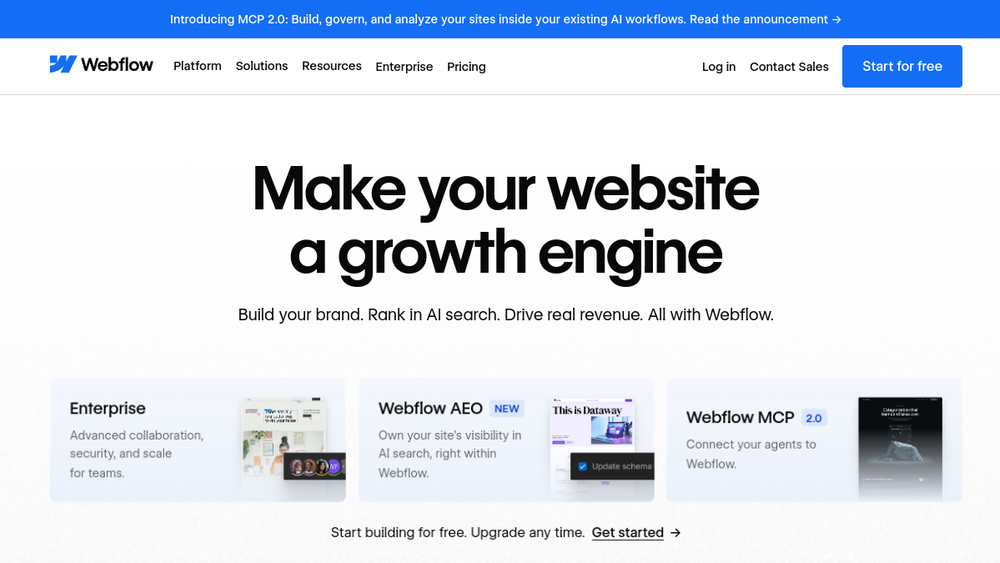
Webflow is a visual web design and development platform that enables users to design, build, and launch responsive websites without writing code. It combines a visual canvas with the ability to generate clean HTML, CSS, and JavaScript, making it suitable for designers, marketers, and developers. The platform includes a content management system (CMS), hosting, and built-in SEO and AI features, positioning itself as an agentic web platform for modern businesses.
Webflow fits into the web development and design workflow by allowing teams to move from design to production without traditional handoff bottlenecks. It supports collaboration through shared workspaces and design systems, and it offers tools for personalization, A/B testing, and AI-driven optimization. With over 300,000 teams reportedly using it, Webflow is a significant player in the no-code and design tool space.
Best for
- Designers who want to create production-ready websites without relying on developers for implementation.
- Marketing teams seeking to build and optimize landing pages, blogs, and marketing sites with built-in SEO and AEO (Answer Engine Optimization) capabilities.
- Agencies that need to deliver client websites efficiently, with reusable design systems and client-friendly CMS management.
- Developers who want to maintain control over code while enabling non-technical team members to iterate on content and design.
- Small to large businesses looking for an all-in-one solution for web design, hosting, and optimization.
Key capabilities
- Visual design and development: Design directly in the browser with a visual canvas that outputs clean, semantic HTML, CSS, and JavaScript.
- CMS and content management: Create and manage content in a visual, composable CMS, with support for dynamic content and collections.
- Built-in SEO and AEO tools: Optimize sites for traditional search engines and AI-driven search, with features like meta tags, structured data, and AI-powered content generation.
- AI-powered optimization: Native analytics, A/B testing, and AI-driven insights to help improve site performance and conversion rates.
- Design systems and collaboration: Build reusable components, variables, and styles, and collaborate with team members in shared workspaces.
- Enterprise-grade security and hosting: Includes hosting with SSL, global CDN, and security features suitable for enterprise use.
Common workflows
- Designing a marketing site from scratch: Start with a blank canvas or template, use the visual editor to design pages, add interactions and animations, and publish directly to Webflow hosting.
- Building a blog with a CMS: Create a CMS collection for blog posts, design a template for posts, and use the editor to add new content without touching code.
- Optimizing for AI search: Use Webflow's AEO features to add structured data, generate AI-friendly content, and monitor performance in AI search results.
- Collaborating on a site with a team: Invite team members to a shared workspace, use design systems to keep branding consistent, and manage permissions for editing and publishing.
- Running A/B tests: Use Webflow's native experimentation tools to create variations of pages, set up tests, and analyze results to improve conversion rates.
What to evaluate
- Design flexibility: Consider how well the visual editor handles complex layouts, animations, and custom interactions compared to code-based development.
- CMS capabilities: Evaluate the CMS's ability to handle your content types, relationships, and scalability for large sites.
- Collaboration and workflow: Assess how the platform supports team collaboration, version control, and approval processes, especially for larger teams.
- Export and portability: Check whether you can export your site's code if you need to move away from the platform, and what limitations exist.
- Pricing and scalability: Review pricing tiers and whether they align with your team size, traffic needs, and feature requirements.
Getting started
- Sign up for an account: Visit Webflow's website and create a free account to start building.
- Choose a starting point: Select a template or start from scratch to begin designing your site.
- Explore the editor and publish: Use the visual editor to design your pages, add content, and then publish your site to Webflow's hosting.
Why ToolSift lists it
Webflow is categorized under Design, with tags including Design Tools, Website Builder, Prototyping, and No-Code. It is a leading visual development platform that bridges design and development, making it relevant for designers, marketers, and agencies. The official URL (https://webflow.com) was verified, and the platform's features align with the category and tags. For more information, visit Webflow's official website.

