

Overview
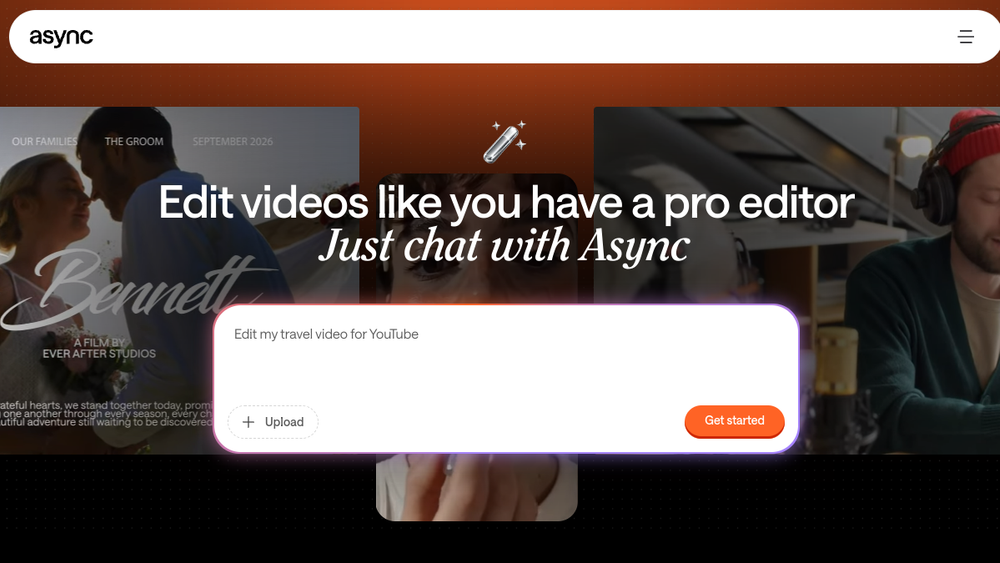
Podcastle is a chat-based AI creative suite designed for video content production. It allows users to create, edit, and repurpose videos by interacting with an AI assistant through simple prompts, rather than using traditional video editing software. The platform supports a range of tasks including video editing, generation, audio cleanup, voiceovers, clip creation, translation, dubbing, thumbnail creation, and podcast recording.
Podcastle fits into the broader landscape of AI-powered creative tools by offering a unified workflow that handles multiple aspects of video production. It is positioned for both individual creators and teams, aiming to streamline the process from raw footage or AI-generated scenes to finished videos. The platform emphasizes ease of use, making video creation accessible to those without prior editing experience.
Best for
- Content creators who need to produce videos quickly without learning complex editing software.
- Social media managers looking to repurpose long-form content into short clips for platforms like TikTok, Instagram Reels, and YouTube Shorts.
- Podcasters who want to record episodes and also create video versions or promotional clips.
- Marketing teams that need to generate ads, explainer videos, and branded content efficiently.
- Individuals or small teams seeking an all-in-one tool for video creation, editing, and repurposing.
Key capabilities
- Chat-based editing: Users can instruct the AI to edit videos by typing commands, such as cutting clips, adding subtitles, or generating voiceovers.
- AI video generation: The platform can generate video scenes from text prompts, providing a starting point for projects.
- Audio cleanup and voiceover: Tools to improve audio quality and generate AI voiceovers in multiple languages.
- Clip creation and repurposing: Automatically turn long videos, podcasts, or webinars into short-form clips suitable for social media.
- Translation and dubbing: Support for translating content and dubbing videos into different languages to reach global audiences.
- Template library: Pre-made templates for various video formats, such as ads, vlogs, and explainers, to speed up production.
Common workflows
- Creating a video from scratch: Start by describing the desired video in a chat prompt, choose a template or let the AI generate scenes, then edit and refine using additional prompts.
- Repurposing a podcast episode: Upload a podcast recording, use the AI to identify key moments, generate short clips with captions, and export them for social media.
- Adding voiceover and subtitles: Import a video, generate a voiceover in a different language, and add subtitles automatically, then export the localized version.
- Cleaning up audio: Upload a recording with background noise, use the audio cleanup feature to enhance clarity, and then proceed with editing or publishing.
- Creating a thumbnail: Use the AI to generate a thumbnail image from a video frame or a text description, then download it for use on video platforms.
What to evaluate
- Editing precision: Consider how accurately the AI interprets prompts for tasks like trimming, cutting, and rearranging clips, and whether manual adjustments are possible.
- Audio quality: Evaluate the effectiveness of audio cleanup and voiceover generation, especially for professional use.
- Export options: Check the available output formats, resolutions, and aspect ratios to ensure they meet your publishing needs.
- Collaboration features: If working in a team, assess whether the platform supports shared projects, feedback, and version control.
- Processing speed: Consider the time required for AI-generated content and edits, as this can impact workflow efficiency.
Getting started
- Visit the official Podcastle website and sign up for an account.
- Explore the interface by starting a new project, either by uploading media or using a template.
- Begin with a simple task, such as generating a short clip or adding subtitles, to familiarize yourself with the chat-based commands.
Why ToolSift lists it
Podcastle is listed under the categories Audio, Video, and Text, with tags including Audio Editing, Audio Production, Video Editing, Writing Tools, Podcasting, and Transcription. These classifications reflect its capabilities in handling multiple content types and production tasks. The official URL was verified as https://async.com, and the product description aligns with the evidence from the official page. For more information, visit Podcastle's official website.

