

Overview
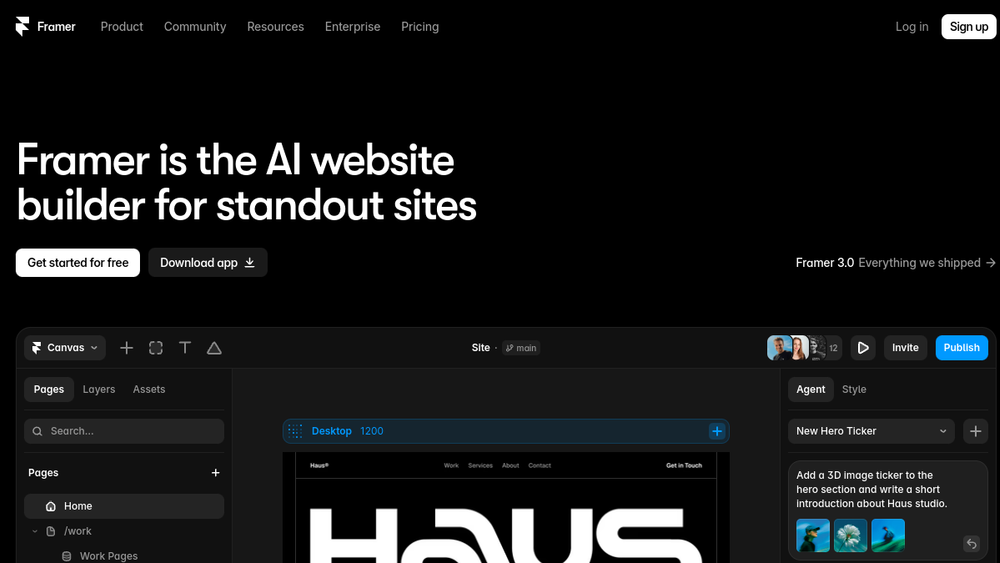
Framer is a web-based design and publishing platform that combines visual design tools with a no-code website builder. It allows users to create responsive websites through a canvas-based interface, with the ability to generate and refine designs using an integrated AI agent. The platform includes a CMS for content management, SEO optimization features, and collaboration tools, making it a comprehensive solution for building and launching professional websites.
Framer positions itself as a design agent that works alongside users, not instead of them, emphasizing control and editability. It is used by teams and individuals to ship large-scale sites, as evidenced by customer stories and a community marketplace with templates and resources. The platform also supports connecting to external agents and tools, such as Slack or GitHub, to trigger actions on the site.
Best for
- Designers and agencies looking for a no-code tool to build client websites with high visual fidelity.
- Marketers and content teams needing a CMS-integrated site builder with SEO controls.
- Startups and small businesses that want to quickly launch a professional website without extensive coding.
- Teams that require collaboration features for design and content updates.
- Users who want to leverage AI assistance for design and content management while maintaining manual control.
Key capabilities
- AI Design Agent: A native canvas agent that generates and refines designs in place, with changes visible and editable.
- CMS Agent: Automates setup, organization, and updates of the CMS, keeping content and design in sync.
- Code Agent: Turns ideas into code for custom effects and interactions, directly on the site.
- External Agent Integration: Connect to tools like Slack, GitHub, or terminal-based agents to trigger site actions.
- SEO and Analytics: Built-in SEO settings, social previews, and analytics for tracking visitors and pageviews.
- Collaboration and Localization: Supports team collaboration, multiple locales, and localization percentages.
Common workflows
- Designing a new site: Start with a blank canvas or template, use the AI design agent to generate layout variations, then refine the design manually.
- Managing content: Use the CMS agent to set up collections, import content from existing sources, and update blog posts or product listings.
- Publishing and optimizing: Configure SEO metadata, set up social previews, and publish the site with hosting and uptime monitoring.
- Collaborating with a team: Invite team members to edit the site, manage roles, and use comments for feedback.
- Connecting external tools: Use the API or integrations to trigger CMS updates from Slack or GitHub, or to import content from WordPress.
What to evaluate
- Design flexibility: Assess how well the canvas-based design tools meet your needs for custom layouts and interactions.
- CMS capabilities: Consider the depth of content modeling, such as collections, fields, and localization options.
- AI agent usefulness: Evaluate the quality and control of AI-generated designs and content, and whether it fits your workflow.
- Collaboration and handoff: Check how easy it is to collaborate with team members and hand off designs to developers if needed.
- Export and hosting: Understand the options for exporting code or using Framer's hosting, and any limitations.
Getting started
- Visit the Framer website and sign up for an account.
- Choose a template or start from a blank canvas to begin designing.
- Explore the AI agents and CMS features to build out your site, then publish when ready.
Why ToolSift lists it
Framer is categorized under Design, with tags including Design Tools, Website Builder, Prototyping, and No-Code. It fits these categories by offering a visual design environment, website building capabilities, prototyping features, and a no-code approach. The official URL was verified as https://www.framer.com, and the profile reflects the product's current positioning as an AI-powered website builder. For more information, visit Framer's official website.


