

Overview
Adobe Express is a web-based and mobile application that provides a unified platform for creating visual content, including graphics, photos, and videos. It is designed to simplify the content creation process for individuals, teams, and organizations, offering a range of tools from basic editing to generative AI features. The platform integrates with other Adobe products like Photoshop and Firefly, allowing users to leverage familiar tools within a streamlined interface.
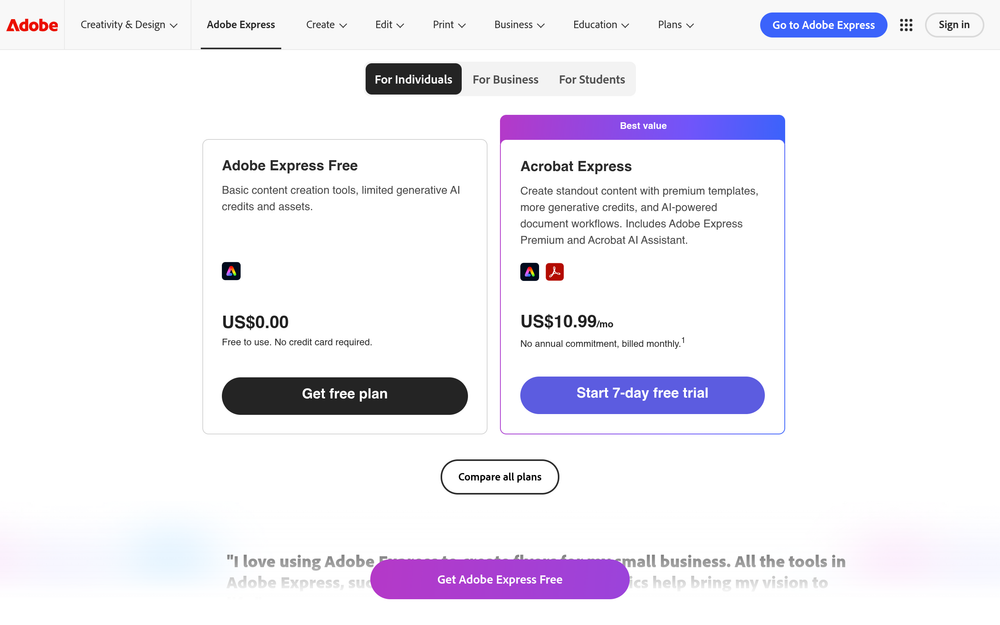
Adobe Express positions itself as a quick and easy solution for producing on-brand content across various channels. It includes a library of templates, stock photos, and design assets, along with features for resizing, background removal, and video editing. The tool is available in both free and premium tiers, with the premium version offering advanced capabilities such as brand kits and additional AI features.
Best for
- Social media managers and content creators who need to produce engaging posts, stories, and videos quickly.
- Small business owners and entrepreneurs looking to create professional marketing materials like flyers, logos, and promotional graphics without extensive design experience.
- Marketing teams that require brand consistency across multiple channels and need tools for collaboration and asset management.
- Students and educators who want to create visually appealing projects, presentations, and educational content.
- Video editors and hobbyists seeking a simple tool for trimming, resizing, and captioning videos, as well as converting them to GIFs.
Key capabilities
- Template library: Access to a wide range of professionally designed templates for social posts, flyers, logos, and more.
- Generative AI tools: Features like Generate Image, Generate Video, and AI Assistant (beta) that allow users to create content from text prompts.
- One-click editing: Tools for removing backgrounds, resizing images, cropping, and converting file formats (e.g., JPG to PNG).
- Video editing: Capabilities for trimming, merging, resizing, and adding captions to videos, as well as converting to GIF.
- Brand kits: Premium feature that lets teams apply brand fonts, colors, and logos to designs with a click, and lock elements for consistency.
- Cross-platform sync: Seamless creation across desktop browser and mobile app, with files synced for accessibility.
Common workflows
- Creating a social media post: Start from a template or blank canvas, add text and images, apply brand colors, and resize for different platforms (e.g., Instagram, Facebook, Twitter) in one click.
- Editing a photo: Upload an image, remove the background, adjust colors, and add text or stickers, then export in the desired format.
- Producing a promotional video: Use video editing tools to trim clips, merge multiple videos, add captions, and resize for various channels, then export or publish directly to Vimeo.
- Designing a flyer: Choose a flyer template, customize with your own text and images, apply brand kit elements, and download as a PDF or image.
- Generating content with AI: Use the AI Assistant (beta) to generate images or videos based on text prompts, then refine the results with editing tools.
What to evaluate
- Asset formats: Consider the range of input and output formats supported (e.g., JPG, PNG, MP4) and whether they meet your needs.
- Prototyping depth: Evaluate whether the tool offers sufficient flexibility for complex design tasks or if it is best suited for quick, template-based creations.
- Collaboration features: Assess the real-time collaboration capabilities, such as shared projects and commenting, especially for team use.
- Export controls: Check the options for exporting files, including resolution, file size, and direct publishing to platforms like Vimeo.
- Brand-system workflows: If brand consistency is critical, review how brand kits and locked elements work to ensure they align with your team's processes.
Getting started
- Visit the Adobe Express website and sign up for a free account or start a 30-day free trial of the premium plan.
- Choose a template or start from scratch, then explore the editing tools and AI features to create your first design.
- Save your project to the cloud, sync it across devices, and export or share your content directly to social channels.
Why ToolSift lists it
Adobe Express is listed under the Design category, tagged with Design Tools, Graphic Design, and Image Editing, because it provides a comprehensive suite for creating and editing visual content. The official URL (https://www.adobe.com/express) was verified as the canonical source for the product. For more information, visit Adobe Express.

