Overview
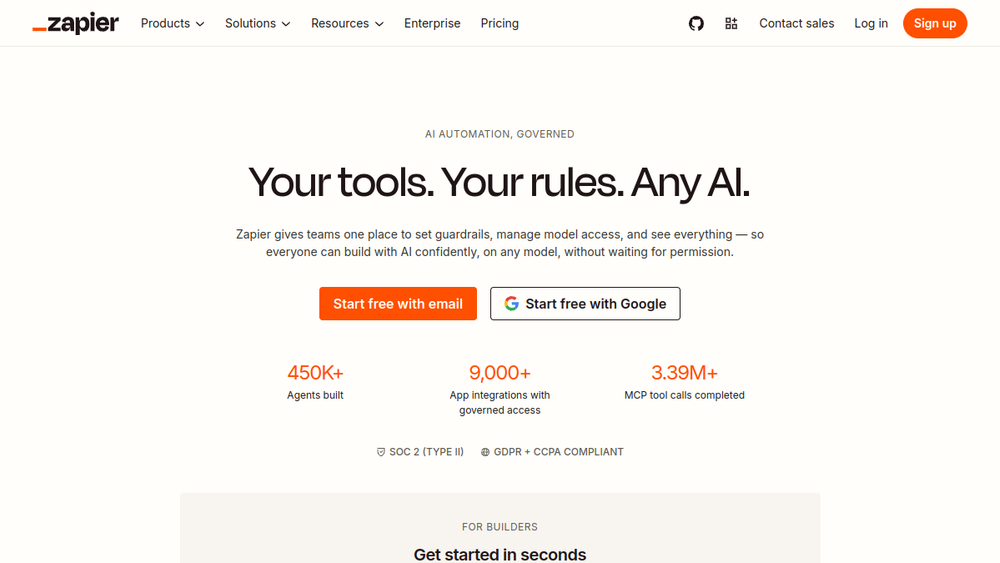
Zapier is a cloud-based automation platform that enables users to connect and integrate over 9,000 applications without writing code. It provides a visual builder to create automated workflows, known as Zaps, that trigger actions across apps based on predefined conditions. In recent years, Zapier has expanded its focus to include AI orchestration, allowing users to build AI agents, chatbots, and AI-powered workflows that can interact with various business tools.
The platform is designed for both technical and non-technical users, offering a low-code environment that simplifies complex integrations. Zapier's core value proposition is its extensive app ecosystem and its ability to automate repetitive tasks, thereby increasing productivity and reducing manual effort. It serves a wide range of industries, from small startups to large enterprises, and is particularly useful for teams looking to streamline operations without heavy engineering resources.
Best for
- Business operations teams seeking to automate routine tasks across multiple SaaS applications, such as CRM, email, and project management tools.
- Marketing and sales professionals who need to sync data between platforms like HubSpot, Salesforce, and Slack to improve lead management and campaign tracking.
- IT and support teams looking to automate ticket routing, onboarding, and internal help desk processes using AI-powered chatbots.
- Non-technical users who want to build custom automations and AI workflows without writing code, leveraging pre-built templates and a visual editor.
- Enterprises that require governance, security, and audit capabilities for AI and automation across departments.
Key capabilities
- 9,000+ app integrations: Connect to a vast ecosystem of popular business applications, including Salesforce, Slack, Gmail, and more, with pre-built triggers and actions.
- AI workflow builder: Create AI-powered automations that can process data, generate content, and make decisions using integrated AI models.
- AI agents and chatbots: Build autonomous agents that can handle tasks like lead qualification, IT support, and customer service across multiple channels.
- MCP and SDK support: Integrate with AI assistants like Claude and ChatGPT via Model Context Protocol (MCP) and use the Zapier SDK for custom AI applications.
- Governance and security: Features like action restrictions, domain restrictions, and managed connections allow IT to control access and maintain compliance.
- Workspaces and role-based access: Organize teams into separate environments with inherited guardrails, enabling delegation without losing oversight.
Common workflows
- Lead management: Automatically capture leads from a website form, add them to a CRM like Salesforce, and send a Slack notification to the sales team.
- IT ticket resolution: Use an AI chatbot to triage incoming IT support tickets, categorize them, and route them to the appropriate team or provide automated solutions.
- Content repurposing: Automatically turn a blog post into social media updates by sending the content to an AI tool that generates summaries and posts them to Twitter and LinkedIn.
- Employee onboarding: When a new hire is added to the HR system, trigger a workflow that creates accounts in various apps, sends welcome emails, and assigns training tasks.
- Customer support automation: Use AI to analyze incoming support emails, suggest responses, and create tickets in a help desk system, reducing manual effort.
What to evaluate
- Integration coverage: Assess whether the specific apps your team uses are supported and whether the available triggers and actions meet your needs.
- Pricing and plan limits: Consider the cost of the platform based on the number of tasks, premium apps, and advanced features like AI capabilities, as pricing can scale with usage.
- Governance and security: Evaluate the level of control you need over app access, data privacy, and compliance, especially if you operate in a regulated industry.
- Ease of use and learning curve: Determine if the visual builder and templates are intuitive for your team, and whether non-technical users can effectively create and manage workflows.
- Support and community: Look into the availability of customer support, documentation, and community resources to help with troubleshooting and best practices.
Getting started
- Sign up for a Zapier account at the official website using an email or Google account.
- Explore the dashboard and browse the template library to find pre-built workflows that match your use case, or start a new Zap from scratch.
- Connect your apps by authorizing Zapier to access your accounts, then configure the trigger and action steps to define your automation.
Why ToolSift lists it
Zapier is categorized under Automation and Business due to its core function of automating business processes and its broad applicability across industries. It is tagged as Workflow Automation, Integrations, No-Code, and Business Tools, reflecting its primary features and target audience. The official URL (https://zapier.com) was verified as the legitimate source for the product. For more information, visit Zapier's official website.