

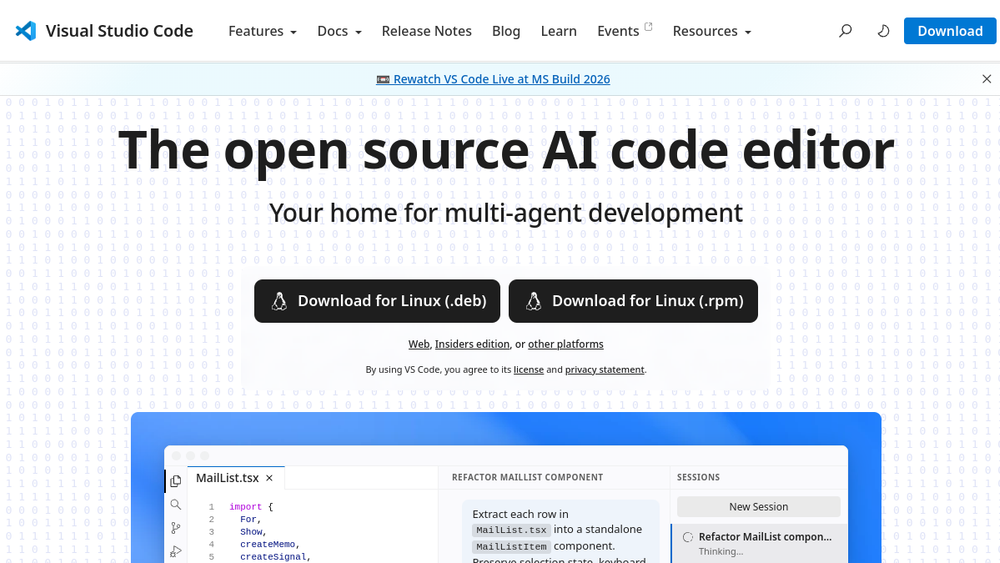
Overview
Visual Studio Code (VS Code) is a free, open source code editor developed by Microsoft. It has evolved from a lightweight editor into a comprehensive development environment, now integrating AI capabilities to support modern software development workflows. The official website positions it as "the open source AI code editor" and "your home for multi-agent development," highlighting its focus on AI-assisted coding and collaborative agent-based workflows.
VS Code is available on Linux, macOS, and Windows, and can be used as a desktop application or through a web-based version. It supports a wide range of programming languages and offers extensive customization through extensions. Its core strengths include a rich feature set for code editing, debugging, and version control, combined with AI-powered tools that help developers plan, write, and debug code more efficiently.
Best for
- Developers who want a free, open source code editor with built-in AI assistance for coding tasks.
- Teams exploring multi-agent workflows, where AI agents can autonomously plan, code, and debug across different environments.
- Developers who need a cross-platform editor that works on Linux, macOS, and Windows, with consistent behavior.
- Users who value a customizable editor with a large ecosystem of extensions for various languages and tools.
- Individuals and organizations looking to integrate AI into their development process without switching to a proprietary editor.
Key capabilities
- AI-powered code editing: VS Code integrates AI agents that can plan, code, and debug, assisting developers in their workflows.
- Multi-agent development: Supports managing multiple AI agents working in parallel, with a unified view to track sessions across environments.
- Cross-platform support: Available on Linux, macOS, and Windows, with a web version for browser-based access.
- Extensive customization: A rich extension marketplace allows users to tailor the editor to their needs, including language support, themes, and tools.
- Rich code editing features: Includes syntax highlighting, IntelliSense, debugging, integrated terminal, and version control integration.
- Flexible agent integration: Works with various AI models and providers, allowing users to choose the agent harness that fits their workflow.
Common workflows
- AI-assisted feature development: A developer describes a feature, and an AI agent plans the implementation, writes code, and runs tests, while the developer reviews changes and iterates.
- Multi-agent parallel tasks: A team uses multiple agents to work on different tasks simultaneously, such as one agent fixing bugs while another implements a new feature, with all sessions tracked in a single view.
- Cross-environment development: Developers use VS Code on different operating systems (Linux, macOS, Windows) and share projects via version control, ensuring consistent behavior across platforms.
- Customizing the editor: Users install extensions to add language support, themes, and tools, tailoring the editor to their specific development stack.
- Web-based coding: Developers use VS Code for the Web to edit code directly in a browser, useful for quick edits or when working on remote machines.
What to evaluate
- Supported programming languages and frameworks: Check if the editor and its extensions cover the languages and tools you use.
- AI agent capabilities: Consider the types of AI agents available, their integration with your workflow, and whether they support your preferred models or providers.
- Local vs. cloud workflows: Evaluate how VS Code handles local development versus cloud-based or remote development scenarios, including performance and connectivity.
- Collaboration features: Assess how well the editor supports team collaboration, such as sharing sessions, reviewing code, and managing multi-agent workflows.
- Deployment and observability: If you plan to use AI agents in production, consider how you can monitor and manage their activities, including logging and session tracking.
Getting started
- Download and install: Visit the official Visual Studio Code website and download the installer for your operating system (Windows, macOS, or Linux). Alternatively, use the web version for browser-based access.
- Explore the interface: Open VS Code and familiarize yourself with the layout, including the activity bar, sidebar, editor area, and integrated terminal.
- Start a project: Open a folder or create a new file, and begin coding. Use the built-in features like IntelliSense and debugging, and explore the Extensions view to add language support or AI tools.
Why ToolSift lists it
Visual Studio Code is listed under the Development category because it is a core tool for software development. Its tags—Developer Tools, Code Editors, and Productivity—reflect its role as an editor that enhances developer efficiency. The official URL (https://code.visualstudio.com) was verified, and the page title and meta description confirm its positioning as an open source AI code editor. For more information, visit Visual Studio Code.
