

Overview
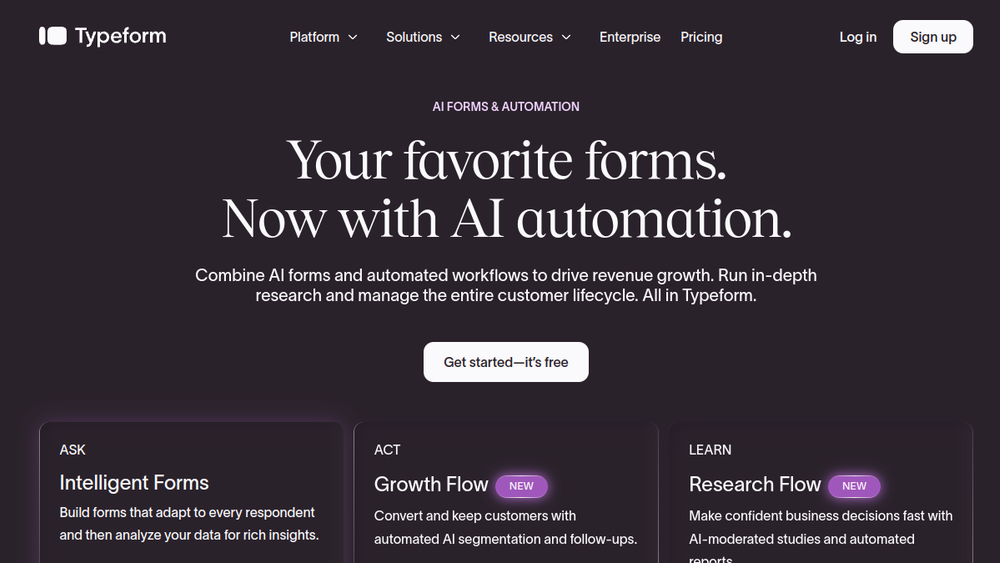
Typeform is a versatile platform designed to create engaging, conversational forms and surveys. It enables businesses to collect data through beautifully designed, interactive forms that adapt to each respondent's answers. The platform has evolved to include AI-powered features that enhance form creation, data analysis, and automated follow-up processes, making it a comprehensive tool for lead generation, customer research, and engagement.
Typeform fits into the marketing and business technology landscape as a solution for capturing and acting on customer data. It bridges the gap between data collection and action by offering automated workflows that can enrich leads, segment audiences, and trigger personalized communications. This positions Typeform as a practical tool for teams looking to streamline their data-driven processes without requiring extensive coding or complex integrations.
Best for
- Marketing teams seeking to create high-converting lead generation forms with minimal effort.
- Sales and business development professionals who need to capture leads and automate follow-up actions.
- Customer research and product teams looking to conduct surveys and gather qualitative insights efficiently.
- Small to medium-sized businesses that want a no-code solution for forms and basic automation.
- Organizations aiming to improve response rates and data quality through conversational and adaptive forms.
Key capabilities
- AI-powered form builder: Generate forms from text prompts, with AI assistance to optimize for higher response rates.
- Conversational logic: Forms adapt to respondent answers, creating a personalized experience that increases completion rates.
- Multimedia responses: Collect video and audio responses, providing richer data than text-only forms.
- Automated workflows: Trigger actions like lead enrichment, segmentation, and personalized follow-ups based on form submissions.
- Analytics and insights: Analyze both qualitative and quantitative data with features like sentiment analysis and drop-off tracking.
- Integration ecosystem: Connect with popular tools like Google Calendar, Calendly, Stripe, and PayPal for scheduling, payments, and more.
Common workflows
-
Lead capture and follow-up: Create a lead generation form, embed it on a landing page, and set up an automated workflow to send a personalized email or SMS to each respondent, schedule a meeting, or add them to a CRM.
-
Customer feedback and analysis: Deploy a feedback survey with video response options, then use AI-generated follow-up questions to probe deeper. Analyze responses with sentiment analysis to identify trends and areas for improvement.
-
Event registration and payment: Build an event registration form that collects attendee details, accepts payments via Stripe or PayPal, and automatically sends confirmation emails with calendar invites.
-
Market research with AI moderation: Use Research Flow to create a study, recruit participants from a verified panel, and conduct AI-moderated interviews. Receive synthesized insights and reports in a short timeframe.
-
Lead enrichment and segmentation: After a form submission, use Growth Flow to enrich lead data with additional information, segment them based on criteria, and trigger targeted marketing campaigns.
What to evaluate
- Form design and user experience: Consider how easily you can customize forms to match your brand and whether the conversational style suits your audience.
- Automation capabilities: Assess the depth of workflow automation, including triggers, actions, and integration with your existing tools.
- Data analysis and reporting: Evaluate the analytics features, such as sentiment analysis and drop-off tracking, to ensure they meet your reporting needs.
- Integration options: Check if Typeform integrates with your CRM, email marketing, and other essential tools to ensure smooth data flow.
- Pricing and scalability: Review pricing plans to ensure they align with your budget and expected usage, and consider how the platform scales as your needs grow.
Getting started
- Sign up for an account: Visit the Typeform website and create a free account to start exploring the platform.
- Create your first form: Use the AI prompt to generate a form or start from a template, then customize it with your branding and questions.
- Set up automation: Connect your form to a workflow, such as sending a thank-you email or adding respondents to a mailing list, to see the automation in action.
Why ToolSift lists it
Typeform is listed under Marketing and Business categories because it serves as a core tool for lead generation, customer engagement, and data collection. Its tags—Marketing, Business Tools, Forms, Lead Generation, and No-Code—reflect its primary functions and appeal to non-technical users. The official URL (https://www.typeform.com) was verified, and the platform's features align with the directory's focus on practical business tools. For more information, visit Typeform's official website.

