

Overview
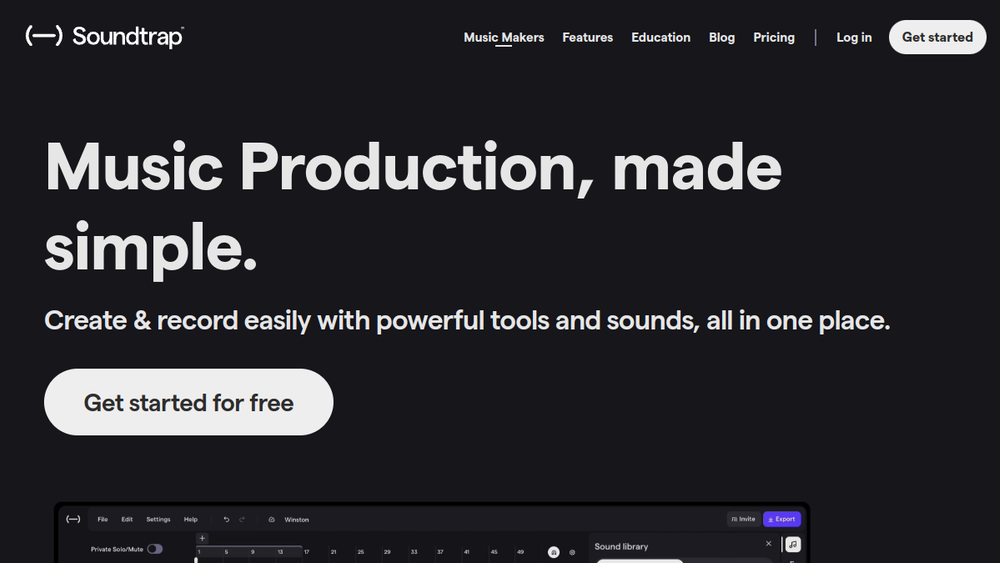
Soundtrap is a web-based digital audio workstation (DAW) that enables music creation entirely in the browser. It provides a comprehensive set of tools for recording, editing, mixing, and mastering audio, along with a vast library of royalty-free sounds, virtual instruments, and effects. Designed for musicians of all levels, Soundtrap emphasizes collaboration, allowing multiple users to work on the same project in real-time from any device.
As a cloud-based platform, Soundtrap eliminates the need for software downloads or high-end hardware, making music production accessible to anyone with an internet connection. It fits into the broader category of online music production tools, offering a streamlined workflow that combines traditional DAW features with modern collaborative capabilities.
Best for
- Beginner musicians who want an easy-to-use platform to start creating music without a steep learning curve.
- Collaborative bands or groups that need to work together on tracks remotely, with real-time editing and communication.
- Educators and students looking for a classroom-friendly tool for teaching music production and composition.
- Producers on the go who need a flexible, browser-based solution that works across different devices.
- Beat makers and loop-based creators who can leverage the extensive sound library and pattern-based beatmaker.
Key capabilities
- Real-time collaboration: Invite others to join your studio session, with video chat and comments directly in the project.
- Extensive sound library: Access over 24,000 loops, sample packs, one-shots, and sound effects, updated with new packs every two weeks.
- Virtual instruments: Includes beatmaker, sampler, software synths, drum kits, and 808 with Glide sounds, all playable via an online MIDI editor.
- Vocal and mixing tools: Apply reverb, distortion, EQ, delay, compressor, and other effects to polish vocals and instruments.
- Vocal tuning and automation: Pitch correction software and automation for volume, pan, and filter sweeps (available on certain plans).
- Cross-platform accessibility: Works on any device with a web browser, with auto-save to keep projects safe.
Common workflows
- Creating a beat from scratch: Start a new project, choose a tempo, and use the Patterns beatmaker to sequence drums. Layer virtual instruments like synths or 808s, then arrange patterns into a full song structure.
- Recording vocals: Connect a microphone, arm a track for recording, and capture vocal takes. Use the vocal tuner and effects like reverb and compression to polish the performance.
- Collaborative songwriting: Share a project link with bandmates, who can join in real-time. Use the chat and video features to discuss changes, leave comments on specific sections, and edit together.
- Mixing and mastering a track: After arranging all parts, use the mixer to balance levels, apply EQ and compression, and add final touches with mastering tools to achieve a chart-ready sound.
- Remixing existing songs: Import an audio file or use a Soundtrap Original, then manipulate sections, add new elements, and apply effects to create a unique remix.
What to evaluate
- Plan features: Some advanced features like vocal tuning and automation are only available on paid plans. Review the plan tiers to ensure they meet your needs.
- Audio quality and export options: Consider the export formats and quality settings available, especially if you plan to use the tracks in other software.
- Collaboration workflow: Test how real-time collaboration works for your team, including latency, communication tools, and version control.
- Learning curve: While user-friendly, the platform has many features. Evaluate the available tutorials and resources to see if they support your learning style.
- Internet dependency: Since it's browser-based, a stable internet connection is required for smooth performance. Consider offline needs.
Getting started
- Sign up for a free account at the Soundtrap website.
- Explore the studio: Familiarize yourself with the interface by browsing the sound library and trying out virtual instruments.
- Start a new project: Choose a template or start from scratch, then begin adding loops, recording, or inviting collaborators.
Why ToolSift lists it
Soundtrap is listed under the Music and Audio categories, with tags including Music Production, DAW, Audio Editing, Audio Production, Recording, and Mixing. These classifications reflect its core functionality as an online music production tool. The official URL (https://www.soundtrap.com/musicmakers) was verified as the primary source for this profile. For more information, visit Soundtrap.

