

Overview
Relay.app is a workflow automation platform designed to help teams connect their favorite apps and orchestrate repeatable work without writing code. It provides a visual builder for creating automated workflows, known as "workflows," that can trigger actions across various services, manage data, and streamline business processes. The platform is positioned as a no-code solution for business users who need to automate tasks and integrate their tool stack efficiently.
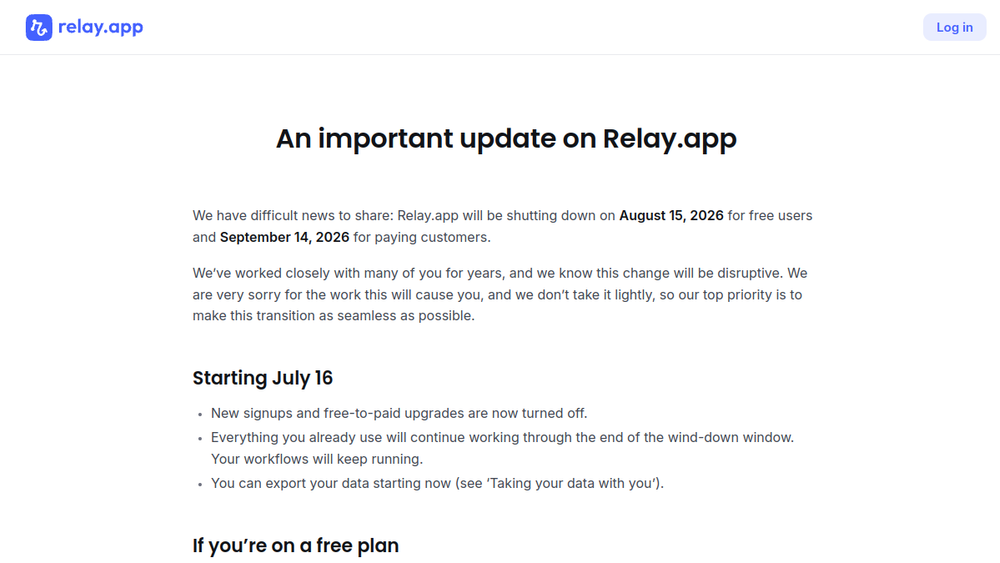
As of July 2026, Relay.app has announced it is shutting down. New signups and upgrades are disabled, and the service will be fully discontinued by September 14, 2026. During the wind-down period, existing users can continue to use the platform, export their data, and receive support. This transition makes Relay.app a legacy tool for those who have relied on it, but its features and workflows remain relevant for understanding its capabilities.
Best for
- Teams that need to automate repetitive tasks across multiple applications without deep coding skills.
- Business operations professionals looking to streamline processes like data entry, notifications, and file management.
- Organizations that value a visual, no-code approach to workflow automation and integration.
- Users who require robust data export capabilities to migrate their workflows to other platforms.
Key capabilities
- Visual workflow builder: Create automated workflows using a drag-and-drop interface, connecting triggers and actions across apps.
- App integrations: Connect with various third-party services to automate tasks such as sending messages, updating spreadsheets, and managing files.
- AI credits: The platform includes AI-powered features that can be used within workflows, with additional credits provided during the wind-down.
- Data export: Users can export workflows, sequences, MCP servers, run history, and tables as JSON, CSV, or markdown files for migration.
- Run history: Track the execution of workflows, view logs, and troubleshoot issues.
- MCP server support: Manage Model Context Protocol servers, which are used for AI integrations.
Common workflows
- Automated lead routing: When a new lead is captured in a CRM, automatically notify the sales team via Slack and create a follow-up task in a project management tool.
- File organization: Monitor a cloud storage folder for new files, then rename, move, or back them up to another location based on predefined rules.
- Data synchronization: Sync customer information between a database and a marketing platform, ensuring records are updated in real time.
- Approval processes: Trigger an approval workflow when a form is submitted, sending requests to managers and updating a tracking sheet upon approval.
- AI-powered content generation: Use AI credits to generate summaries or drafts from new content, then post them to a blog or social media channel.
What to evaluate
- Integration coverage: Assess whether the platform supports the specific apps your team uses and the depth of those integrations (e.g., triggers, actions, data mapping).
- Workflow complexity: Consider how well the builder handles branching, error handling, and complex logic, especially for critical business processes.
- Data export and migration: Since the service is shutting down, evaluate the ease of exporting your workflows and data, and whether the exported formats are compatible with alternative tools.
- Support and documentation: Review the availability of support during the transition and the quality of documentation for rebuilding workflows elsewhere.
- Cost and billing: Understand the refund process for paid subscriptions and any costs associated with exporting or migrating data.
Getting started
- Export your data: Log in to your Relay.app workspace and use the export feature to download a zip file containing your workflows, sequences, tables, and run history.
- Review your workflows: Examine the exported JSON and markdown files to understand the structure and logic of your automations.
- Plan your migration: Identify alternative workflow automation tools that meet your needs, and use the exported data to rebuild your critical workflows.
Why ToolSift lists it
Relay.app is listed under the Automation and Business categories, with tags including Workflow Automation, Integrations, No-Code, and Business Tools. These classifications reflect its core function as a no-code automation platform that integrates with various business applications. The official URL (https://relay.app) was verified, and the page confirms the service is shutting down. Despite its discontinuation, Relay.app remains a notable example of workflow automation tools, and its data export features are valuable for users transitioning to other platforms. For more information, visit Relay.app.


