

Overview
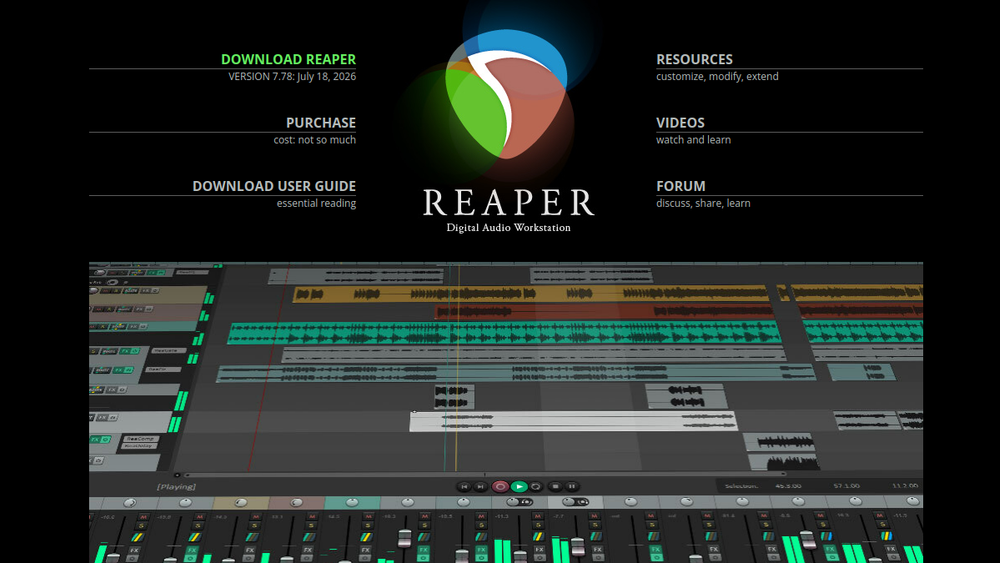
REAPER is a complete digital audio production application for computers, offering a full multitrack audio and MIDI recording, editing, processing, mixing, and mastering toolset. It is designed to be efficient, fast to load, and tightly coded, and can be installed and run from a portable or network drive. REAPER supports a vast range of hardware, digital formats, and plugins, and can be comprehensively extended, scripted, and modified.
REAPER is used in a variety of settings, including commercial and home studios, broadcast, location recording, education, science and research, sound design, and game development. It is known for its stability and flexibility, and it is available as a single fully featured version with no artificial limitations. Users can evaluate REAPER in full for 60 days, and a license is affordably priced and DRM-free.
Best for
- Musicians and producers who need a powerful, customizable DAW for recording and mixing.
- Audio engineers working in professional studios, broadcast, or post-production.
- Sound designers and game audio developers requiring flexible routing and scripting.
- Educators and students in audio production courses.
- Hobbyists and home studio owners seeking a cost-effective, full-featured DAW.
Key capabilities
- Full multitrack audio and MIDI recording, editing, processing, mixing, and mastering.
- Support for a wide range of hardware, digital formats, and plugins, including VST, VST3, LV2, AU, CLAP, DX, and JS.
- Powerful audio and MIDI routing with multichannel support throughout, including up to 128 channels per track and 128 MIDI buses.
- Extensive customization via scripting, macros, control surfaces, custom skins, and layouts.
- Built-in effects and tools for creating new effects, including hundreds of studio-quality effects.
- Regular updates with new features and improvements, included with a REAPER 7 license through version 8.99.
Common workflows
- Recording and comping: Set up tracks, arm them for recording, and capture multiple takes. Use track lanes and swipe comping to select the best parts of each take and create a composite performance.
- MIDI sequencing and editing: Use the MIDI editor to program and edit notes, draw CC automation, and route MIDI to virtual instruments and hardware synths.
- Mixing and mastering: Use the mixer, routing, and effects to balance levels, apply EQ and compression, and add spatial effects. Use ReaLimit for loudness maximization and render with loudness reports.
- Sound design and post-production: Use the flexible routing and scripting to create complex signal chains, automate parameters, and sync audio to video.
- Live performance and location recording: Use REAPER's low-latency performance and portable installation to run live sound or capture multi-track recordings on location.
What to evaluate
- Learning curve: REAPER has a steep learning curve for beginners, but its extensive documentation and community resources can help.
- Plugin compatibility: While REAPER supports many plugin formats, some plugins may have issues; test your essential plugins.
- Customization: The high level of customization may be overwhelming; consider how much time you want to invest in setting up your workflow.
- Cost: REAPER is affordably priced compared to other DAWs, but you should evaluate the license terms and update policy.
- Support and community: REAPER has an active forum and extensive user-generated resources, but official support is limited.
Getting started
- Download REAPER from the official website and install it on your computer.
- Launch REAPER and explore the default layout; you can start a new project and add tracks.
- Consult the user guide or online tutorials to learn basic recording and editing techniques.
Why ToolSift lists it
REAPER is listed under Music and Audio because it is a comprehensive digital audio workstation used for music production, audio editing, and mixing. The tags reflect its core functions: Music Production, DAW, Audio Editing, Audio Production, Recording, and Mixing. The official URL (https://www.reaper.fm) was verified as the official source for the product. For more information, visit REAPER's official website.

