


What PullMark Is
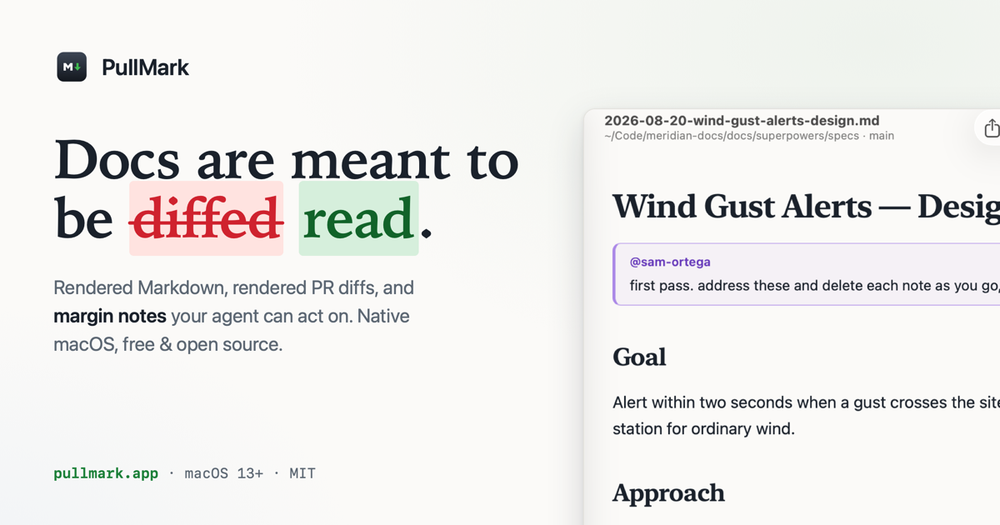
PullMark is a free, open-source, signed and notarized native macOS app for reading and reviewing Markdown. It renders local files and folders the way readers will see them, and it turns documentation-heavy GitHub pull requests into rendered diffs where only the changed words are highlighted.
Why It Exists
Prose isn't code, and reviewing it like code hides the thing you're judging. A forty-line green wall in a README diff buries the one sentence that actually changed. PullMark shows the change as readers will meet it: tables stay tables, diagrams stay diagrams, and a one-word edit is one highlighted word.
Key Capabilities
- Rendered PR diffs — inline or side-by-side layouts, raw Source Diff, and final Result preview, all from the toolbar.
- Block-level review — comment on a whole block or exact lines; comments land on the lines GitHub expects. Approve, request changes, or post suggestions the author applies in one click.
- Margin notes (beta) — leave signed notes anchored to blocks as ordinary HTML comments, ideal for reviewing agent-written plans and specs without a commit or pull request.
- A proper reader — Mermaid diagrams, KaTeX math, alerts, footnotes, task lists, YAML front matter, outline sidebar, and live re-render on save.
- GitHub in-app — click a github.com Markdown link and PullMark renders it with a repo/branch provenance bar; private repos use your existing credentials.
- Native touches — Quick Look support, a
pullmarkCLI, default-app binding for.md, three reading themes, PDF/HTML export, and edit-in-place with ⌘E.
Who It's For
Developers, technical writers, and teams reviewing specs, decision records, runbooks, and agent-generated documentation. PullMark deliberately shows only the Markdown files in a PR — for the code parts of a change, your usual review tools remain the right place.
Getting It
Install via Homebrew (brew install --cask pullmark) or download the DMG. Requires macOS 13+, MIT licensed, with zero package dependencies.