

Overview
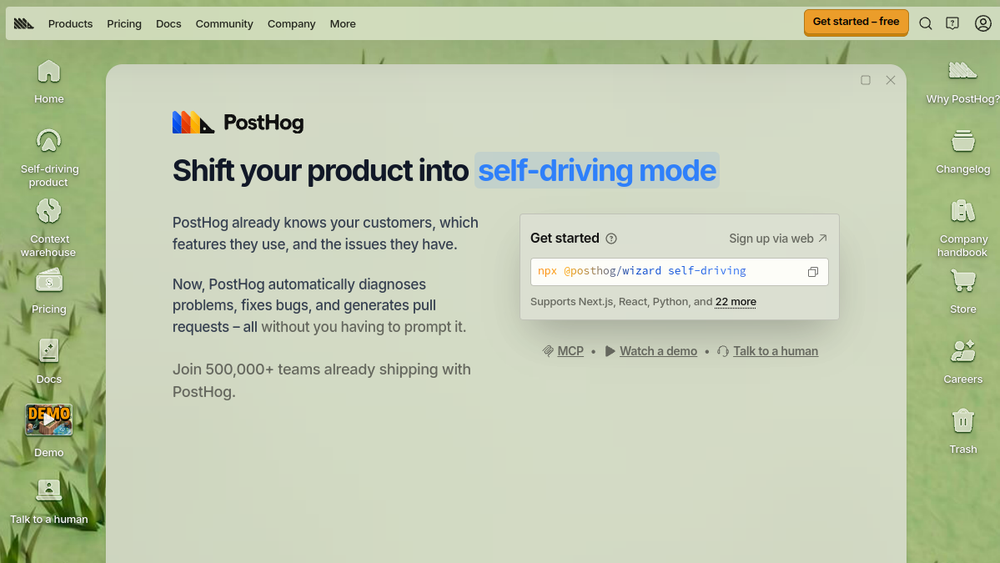
PostHog is a product analytics platform that aims to make your product self-driving. It automatically diagnoses problems, fixes bugs, and generates pull requests without requiring manual prompts. The platform combines product analytics, web analytics, session replay, feature flags, experiments, surveys, error tracking, and more into a single, integrated solution.
PostHog fits into the marketing and business technology stack by providing a comprehensive view of customer behavior and product performance. It is designed for teams that want to move beyond passive analytics and into proactive, automated action. By leveraging data from various sources, PostHog helps teams understand what users are doing, why they are doing it, and what to fix next.
Best for
- Product teams seeking to automate bug detection and resolution.
- Marketing teams needing deep insights into user behavior and campaign performance.
- Data-driven businesses that want to consolidate analytics, experimentation, and data warehousing.
- Startups and scale-ups looking for a cost-effective, usage-based analytics solution.
- Teams that value transparency and fast shipping in their tooling.
Key capabilities
- Product Analytics: Track events, analyze funnels, retention, and user paths.
- Web Analytics: Understand website traffic, pageviews, and user engagement.
- Session Replay: Watch recorded user sessions to see exactly how users interact with your product.
- Feature Flags: Roll out features gradually and target specific user segments.
- Experiments: Run A/B tests and multivariate experiments without coding.
- Error Tracking: Automatically capture and diagnose errors, with the ability to generate pull requests for fixes.
Common workflows
-
Automated Bug Fixing: PostHog detects an error in your product, diagnoses the root cause, and generates a pull request with a fix. Your team reviews and merges it, reducing manual debugging time.
-
User Behavior Analysis: Use session replays and product analytics to understand how users navigate your app. Identify drop-off points in funnels and optimize the user journey.
-
Feature Rollout with Flags: Launch a new feature to a small percentage of users using feature flags. Monitor its impact on key metrics, then gradually increase the rollout based on data.
-
A/B Testing Campaigns: Create experiments to test different variations of your product or marketing messages. Use the results to make data-driven decisions.
-
Centralized Data Queries: Connect external data sources like Stripe or HubSpot to PostHog's context warehouse. Run SQL queries to combine product data with business data for deeper insights.
What to evaluate
- Integration Complexity: Assess how easily PostHog integrates with your existing stack, including data sources and other tools.
- Pricing Model: Understand the usage-based pricing and whether it aligns with your expected event volumes and budget.
- Team Adoption: Consider the learning curve for your team and the availability of technical support.
- Data Privacy and Security: Evaluate how PostHog handles data residency, encryption, and compliance with your organization's requirements.
- Automation Capabilities: Determine the extent to which you can rely on automated bug fixing and whether it fits your development workflow.
Getting started
- Sign up: Create a free account on the PostHog website.
- Install the SDK: Add the PostHog JavaScript or server-side SDK to your application to start tracking events.
- Explore the dashboard: Familiarize yourself with the main features, such as product analytics, session replay, and feature flags, to see how they can benefit your team.
Why ToolSift lists it
PostHog is listed under the Marketing and Business categories because it provides essential analytics and automation tools that support marketing and business decision-making. The tags reflect its core functionalities: Marketing, Business Tools, Product Analytics, and Web Analytics. The official URL (https://posthog.com) was verified as the canonical source for this profile. For more information, visit PostHog.


