

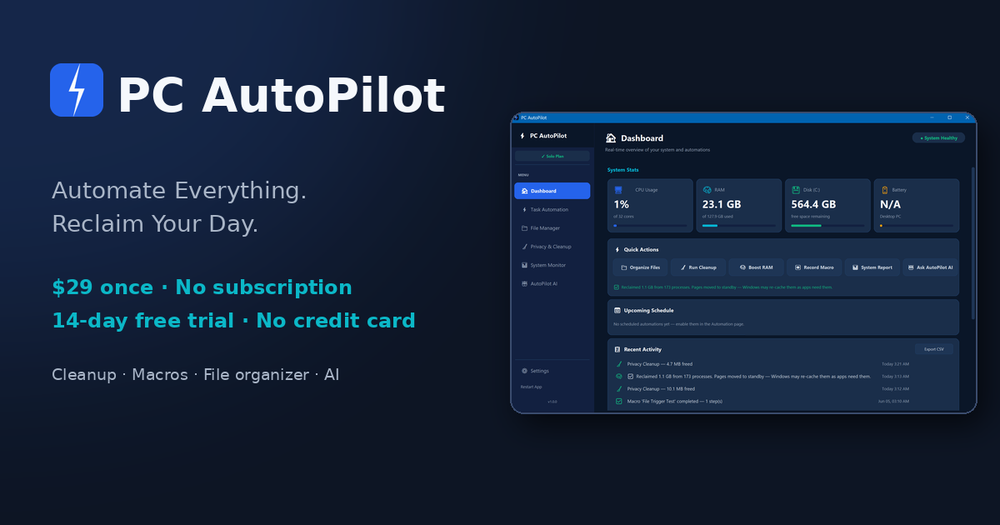


What is PC AutoPilot?
PC AutoPilot is a Windows automation suite built for small businesses and freelancers who want to stop repeating the same PC chores. It bundles five modules into one local app: task and macro automation, file and folder management, system optimization, RAM optimization, and an AI assistant.
Key Features
- Task & Macro Automation — Record clicks, keystrokes, and actions, then replay them instantly or on a schedule. No scripting required.
- File & Folder Manager — Auto-sort downloads and documents, detect duplicate files, and watch folders with custom rules.
- System Optimizer — Clean junk and temp files, manage startup programs, and monitor CPU, RAM, disk, and network in real time.
- RAM Optimizer — Reclaim inactive memory from background apps with one click, without closing them.
- AutoPilot AI — Ask questions in plain English; it reads live system stats, explains what is safe to clean, and can run scans or cleanups on request (bring your own Anthropic API key).
How It Works
- Install PC AutoPilot on Windows 10 (1903+) or Windows 11.
- Choose from pre-built templates or record your own automations with a point-and-click wizard.
- Let it run on a schedule while you track freed space and system health in the dashboard.
Pricing & Privacy
A one-time purchase of $29 covers one PC, with a Family Pack of three independent licence keys for $58. A 14-day free trial requires no credit card, and a 30-day money-back guarantee applies. Everything runs locally — files, macros, and automations never leave your machine, and no account is required after purchase.
Who It's For
Non-technical users, freelancers, and small teams who want enterprise-style automation without subscriptions, scripting, or an IT department.