Network Throttler
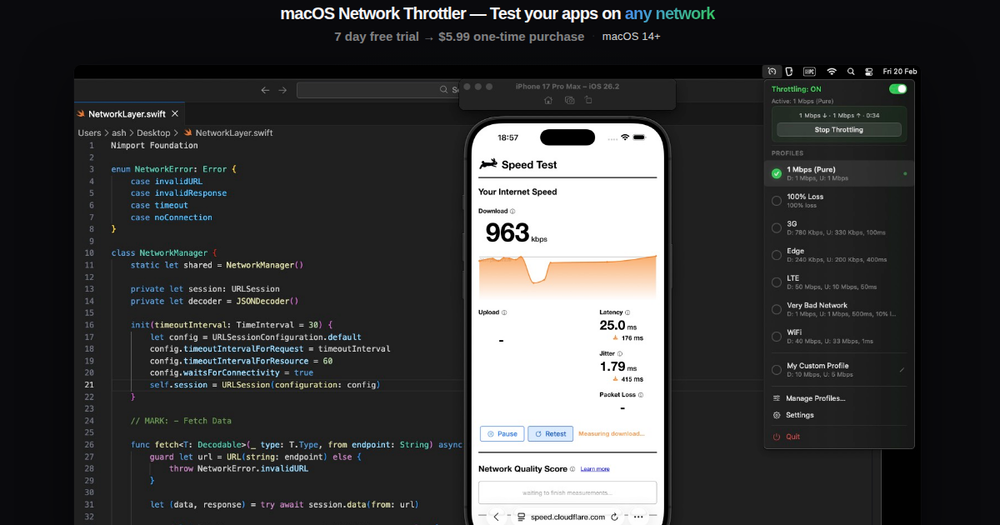
Network Throttler is a lightweight, native macOS utility that lets developers simulate slow, lossy, and unreliable network conditions directly from the menu bar. Instead of digging through Xcode's Network Link Conditioner or wrestling with pfctl/dnctl terminal commands, you get one-click throttling with pre-configured profiles for 3G, Edge, DSL, LTE, and lossy WiFi.
Why developers use it
- Instant throttling — switch conditions in a click, no restarts or config files.
- Built-in profiles — 3G, Edge, DSL, LTE, lossy WiFi, plus custom profiles.
- Fine-grained control — set download/upload speed, latency, packet loss, and DNS delay independently.
- Auto-disable timer — throttling turns itself off so you never forget mid-deploy.
- Lightweight & native — built with SwiftUI, under 2 MB, universal binary for Apple Silicon and Intel.
- Privacy first — no analytics, no telemetry, no network data leaves your Mac.
How it works
Network Throttler uses a privileged helper to modify system-level network interface settings, applying conditions system-wide so every app experiences the simulated degraded network — just like real users would. Setup requires entering your password once, and the app is notarized by Apple.
Pricing
A 7-day free trial gives full functionality. After that, a one-time purchase of $5.99 unlocks the app — no subscription, no recurring charges. A 30-day refund policy is available.
Requirements
macOS 14 (Sonoma) or later, on Apple Silicon or Intel Macs.