

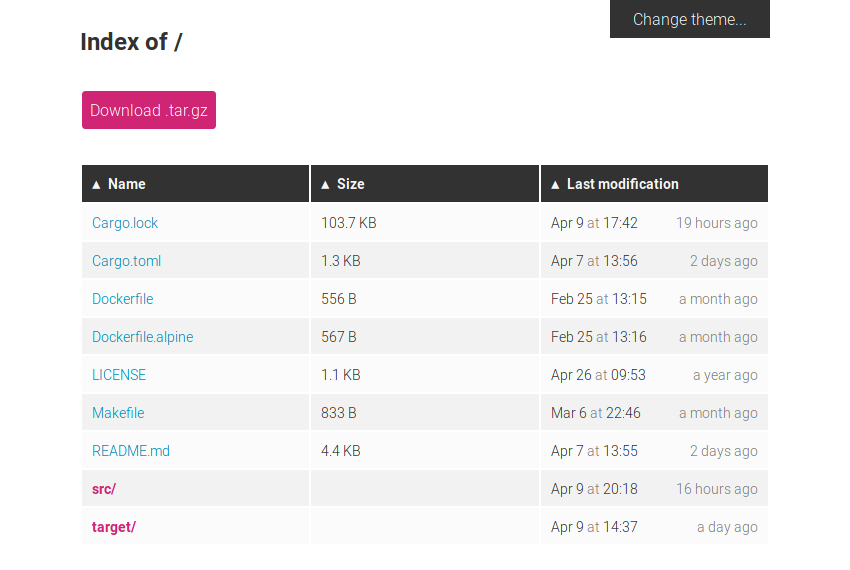


What is miniserve?
miniserve is a small, self-contained, cross-platform command-line tool that lets you serve files and directories over HTTP with a single command. It is written in Rust and built on Actix, so it is fast, highly parallel, and ships as a single binary with no extra dependencies.
Why use it?
Sometimes you just want to share a file or a folder right now. miniserve is a practical, quick alternative to setting up a full web server. Point it at a path and it starts serving immediately.
Key capabilities
- Serve directories or single files with correct MIME type handling out of the box.
- Authentication with plain, SHA-256, or SHA-512 passwords, or an auth file for multiple logins.
- File uploads and directory creation, including uploads from smartphones via media-type hints.
- Folder download compressed on the fly as
.tar.gzor.zip. - TLS support for encrypted connections, plus custom headers such as HSTS.
- SPA and pretty URL modes for single-page applications and clean routes.
- Search and filtering by file or directory name.
- QR code display for quick access from mobile devices.
- Themes with light and dark color schemes.
- WebDAV support, range requests, and a healthcheck route.
- README rendering similar to GitHub.
Typical usage
Serve a directory:
miniserve linux-distro-collection/Serve a single file:
miniserve linux-distro.isoRequire a username and password:
miniserve --auth joe:123 unreleased-linux-distros/Enable uploads and directory creation:
miniserve -u --mkdir .Start with TLS:
miniserve --tls-cert my.cert --tls-key my.key /tmp/myshareWho is it for?
Developers, sysadmins, and anyone who needs a fast, no-fuss way to share files over HTTP on a local network or the internet. It is open source and distributed as a single binary for easy drop-in use.