

Lrc-R
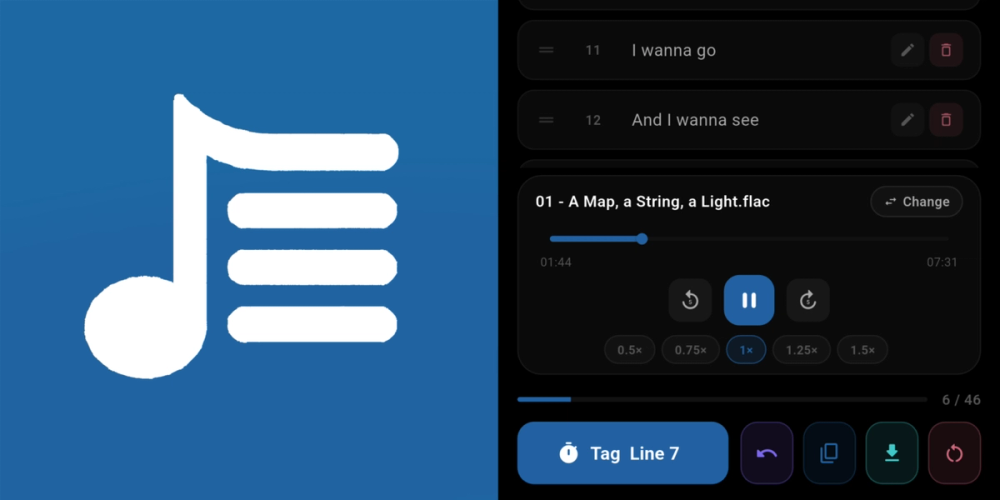
Lrc-R is a free, open-source Android app built with Flutter that makes creating synced lyrics files effortless. Load an audio track, paste or import your lyrics, and simply tap the TAG button as each line begins to play — Lrc-R stamps it with the exact playback timestamp.
Key Features
- Tap to Tag — stamp each lyric line with a precise timestamp as it plays.
- Advanced Playback Control — scrubbing, ±5s skip, and adjustable speed (0.5×–1.5×).
- Live Editing — drag to reorder, edit inline, delete lines, and undo any action.
- Material You Integration — Android 12+ dynamic coloring, AMOLED black, light and dark themes.
- Flexible Export — copy to clipboard or save the
.lrcfile anywhere on your device. - Draft Autosave — your session is saved automatically when you leave the app.
- Fully Offline — no cloud, no tracking, no internet required.
How It Works
- Open Lrc-R and load your audio file.
- Paste or import your lyrics.
- Tap TAG as each line starts playing.
- Fix mistakes with undo, untag, or reset.
- Export the
.lrcfile and drop it into any player that supports synced lyrics.
Development
Lrc-R is built with Flutter, pinned to a specific version for consistent builds. Clone the repo, run flutter pub get, connect a device with USB debugging, and run flutter run --release. Licensed under GPL-3.0.
