

Overview
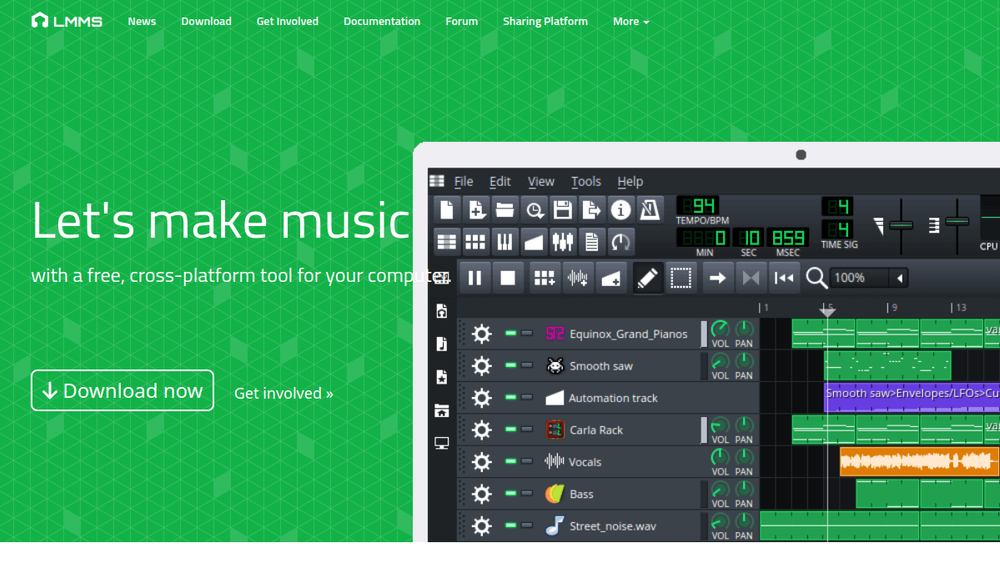
LMMS (Linux MultiMedia Studio) is a free and open-source digital audio workstation (DAW) that enables music production on Linux, Windows, and macOS. It provides a complete environment for composing, sequencing, mixing, and automating songs, with a focus on beat-making and electronic music. The software is community-driven and hosted on GitHub, emphasizing accessibility and collaboration.
LMMS fits into the music production landscape as a versatile tool for hobbyists, educators, and independent musicians. It offers a range of built-in instruments, effects, and sample support, making it suitable for creating tracks from scratch without additional hardware or software. Its cross-platform nature ensures that users can work on projects across different operating systems.
Best for
- Hobbyist musicians and bedroom producers looking for a free, full-featured DAW.
- Electronic music creators who want to compose beats, melodies, and synth-based tracks.
- Educators and students in music technology courses seeking an accessible production tool.
- Linux users who need a native, open-source DAW with professional capabilities.
- Musicians who want to experiment with VST plugins and SoundFont instruments.
Key capabilities
- Cross-platform DAW: Available on Linux, Windows, and macOS, allowing seamless project work across systems.
- Comprehensive sequencing: Includes Beat+Bassline Editor and Piano Roll Editor for pattern, note, and chord arrangement.
- Built-in instruments: 16 synthesizers, including emulations of classic hardware like Roland TB-303 and Commodore 64 SID.
- Plugin support: Supports VST instruments and effects (with 32-bit bridge on 64-bit Windows), plus LADSPA plugins.
- Sample and SoundFont support: Imports SoundFont (SF2), Giga (GIG), and Gravis UltraSound (GUS) formats for instrument patches.
- Mixing and effects: Built-in compressor, limiter, delay, reverb, distortion, bass enhancer, equalizers, and spectrum analyzer.
Common workflows
- Beat creation: Use the Beat+Bassline Editor to program drum patterns and basslines, then arrange them in the Song Editor.
- Melodic composition: Compose melodies and chords in the Piano Roll Editor, using built-in synths or imported SoundFonts.
- Plugin-based production: Load VST instruments and effects to expand sonic possibilities, automating parameters for dynamic changes.
- Mixing and mastering: Apply built-in effects like compression and EQ to individual tracks, then use the mixer to balance levels and finalize a track.
- Import and arrangement: Import MIDI files or Hydrogen projects to build upon existing ideas, then arrange sections in the Song Editor.
What to evaluate
- Recording capabilities: LMMS does not natively support audio recording; consider if you need to record live instruments or vocals.
- Plugin compatibility: While VST support is available, check for any limitations with 64-bit vs 32-bit plugins on your system.
- Learning curve: The interface may be less intuitive than commercial DAWs; evaluate if the workflow suits your production style.
- Export options: Verify that the export formats (e.g., WAV, OGG) meet your distribution needs.
- Community and support: Assess the availability of tutorials, forums, and documentation for troubleshooting and learning.
Getting started
- Download and install: Visit the official LMMS website and download the installer for your operating system (Linux, Windows, or macOS).
- Explore the interface: Familiarize yourself with the main windows: Song Editor, Beat+Bassline Editor, and Piano Roll Editor.
- Create a simple project: Start a new project, add a beat using the Beat+Bassline Editor, and play it back to hear your first composition.
Why ToolSift lists it
LMMS is listed under the Music and Audio categories, with tags including Music Production, DAW, Audio Editing, Audio Production, Recording, and Mixing. The official URL (https://lmms.io) was verified as the authoritative source for the software. LMMS is a significant open-source tool that empowers musicians and producers, and ToolSift includes it to help users discover reliable, community-supported software. For more information, visit LMMS official website.

