Overview
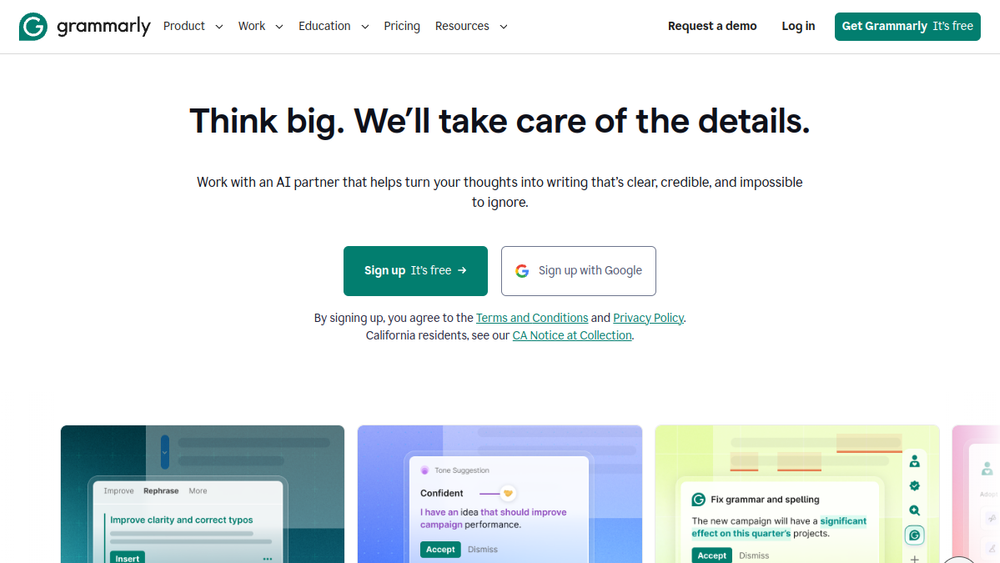
Grammarly is an AI-powered writing assistant designed to help individuals and teams produce clear, effective written communication. It integrates with a wide range of applications and web browsers, offering real-time suggestions for grammar, spelling, punctuation, clarity, tone, and style. The tool also includes generative AI capabilities that can help users draft, rewrite, and refine text, making it a versatile companion for various writing tasks.
Grammarly positions itself as a comprehensive solution for improving writing quality, whether for professional emails, academic papers, or creative content. It aims to support users in maintaining their authentic voice while ensuring their message is conveyed effectively. The platform is used by millions of people and thousands of organizations, indicating its broad applicability across different sectors and writing needs.
Best for
- Professionals who need to write clear, error-free emails, reports, and other business communications.
- Students and academics looking to improve the quality of their essays, papers, and assignments.
- Content creators and marketers who want to ensure their writing is engaging and on-brand.
- Non-native English speakers seeking assistance with grammar and style to enhance their writing confidence.
- Teams that require consistent, on-brand messaging across internal and external communications.
Key capabilities
- Real-time grammar and spelling correction: Automatically detects and corrects errors as you type, helping to eliminate typos and grammatical mistakes.
- Tone and clarity suggestions: Provides feedback on the tone of your writing and suggests changes to improve clarity and flow.
- Generative AI text generation: Offers AI-powered prompts to help generate text, rewrite sentences, and improve overall writing quality.
- Humanizer and AI Detector agents: Includes features to give your writing personality and to identify AI-generated text, aiding in authenticity and originality.
- Style and brand guidance: Helps maintain consistency with brand style guides, ensuring that writing aligns with organizational standards.
- Security and privacy: Emphasizes responsible AI practices, stating that user content is not sold or used for advertising, and third-party providers are not allowed to train models on user content.
Common workflows
- Drafting an email: Compose a professional email in your email client, and Grammarly automatically checks for spelling, grammar, and tone, offering suggestions to make your message more effective.
- Writing a report: Use Grammarly in your word processor to refine a report, improving clarity and flow while ensuring it is free of errors.
- Creating marketing content: Generate ideas and draft social media posts or blog articles using Grammarly's AI prompts, then refine the text to match your brand voice.
- Editing a document: Paste existing text into Grammarly's editor to receive a comprehensive review, including suggestions for rewriting sentences and adjusting tone.
- Collaborating with a team: Use Grammarly's style guide features to ensure all team communications adhere to the same standards, reducing back-and-forth editing.
What to evaluate
- Writing stage: Consider whether you need help with basic proofreading or more advanced rewriting and tone adjustment. Grammarly offers both, but the depth of suggestions may vary.
- Tone control: Evaluate how well Grammarly understands and adjusts tone to match your intended audience and context. It provides tone suggestions, but you should assess if they align with your needs.
- Language support: Check if Grammarly supports the languages you write in. While it is strong in English, support for other languages may be limited.
- Editing transparency: Review how Grammarly presents suggestions—whether it clearly explains the reasoning behind each change, allowing you to make informed decisions.
- Privacy and security: Understand how your data is handled, especially if you are using the tool for sensitive or proprietary content. Grammarly states it does not sell user content, but you should verify its policies align with your requirements.
Getting started
- Sign up for an account: Visit the Grammarly website and create a free account using your email or Google account.
- Install the browser extension or desktop app: Add Grammarly to your preferred browser or download the desktop application to get real-time suggestions across various platforms.
- Start writing: Begin using Grammarly in your everyday writing tasks. You can also explore the web editor to paste text and receive a full analysis.
Why ToolSift lists it
Grammarly is categorized under Text and tagged with Writing Tools, Grammar Checker, and Content Writing, reflecting its core functionality as a writing assistant. The official URL (https://www.grammarly.com) was verified, and the product's capabilities align with these categories. ToolSift lists Grammarly because it is a widely adopted tool that addresses common writing challenges, offering both corrective and generative features that benefit a diverse range of users. For more information, visit Grammarly's official website.