

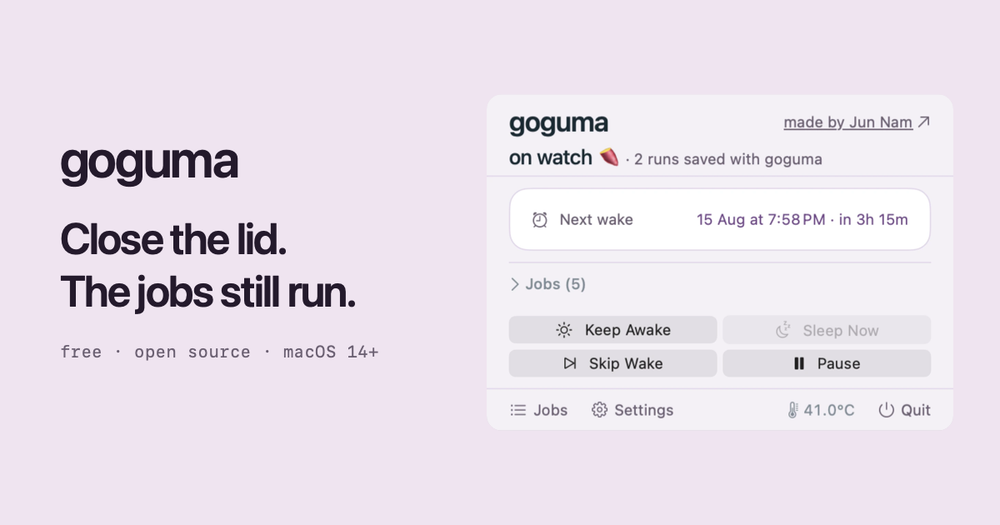


What is goguma?
goguma is a macOS utility that lets your Mac sleep normally while still running the scheduled jobs you already have. It reads the schedules already on your machine — Claude, Codex, hermes, crontab, launchd, and more — and wakes the Mac about 90 seconds before each job is due. Once the job finishes, sleep is released again.
Key features
- Automatic job discovery — finds existing schedules from Claude, Codex, hermes, crontab, launchd, and similar tools without you re-declaring anything.
- Wake, run, release — wakes just before a job, holds sleep off until it completes, then lets go.
- Lid-closed work — wrap a command with
goguma run -- claude -p "..."to keep a long agent or build running even with the lid shut. - Editor integration — Claude Code, Codex, Cursor, and Gemini CLI are configured to signal when they are working, so the Mac stays awake until they finish.
- Safety limits — holds expire on their own ceiling (five minutes by default), and every hold is dropped above 80°C or below 10% battery.
- Privacy-first — no account, no sign-in, no analytics; jobs, commands, and schedules never leave the Mac.
- Open source — MIT licensed, with a small root helper that can only set wake times and hold sleep off.
How it works
goguma reads the schedule already on the machine, wakes a moment before each job, holds sleep off until that job finishes, then releases. Your existing scheduler still fires the jobs — goguma does not run them for you. It is not a replacement for caffeinate: instead of keeping the Mac awake all night, it lets it sleep and wakes it only when needed.
Getting started
Install with Homebrew:
brew install junnam586/tap/goguma
goguma install
Or download the Mac app, which carries the same tools inside it. macOS 14 or newer is required, and a password prompt appears for the root helper. --no-helper installs without it, though lid-closed jobs stop working.