

Overview
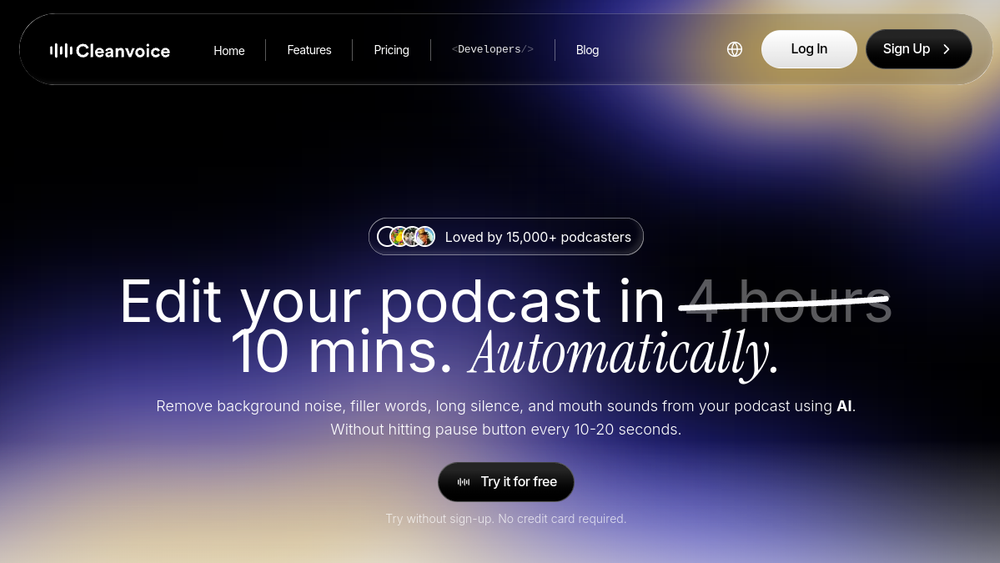
Cleanvoice is an AI-driven audio and video editing platform designed to streamline podcast post-production. It automatically removes common audio imperfections such as background noise, filler words, long silences, and mouth sounds, allowing creators to produce clean, studio-quality recordings without manual editing. The tool also provides transcription, podcast summaries, and multitrack editing capabilities, making it a comprehensive solution for podcasters and content teams.
Cleanvoice fits into the audio production workflow as a time-saving alternative to traditional editing software. It targets podcasters, voiceover artists, and video creators who need to clean up recordings quickly. By automating repetitive tasks, it reduces the hours spent on manual editing, enabling creators to focus on content rather than technical cleanup.
Best for
- Podcasters who record interviews or solo episodes and need to remove filler words, long pauses, and background noise efficiently.
- Content creators producing video podcasts who require audio cleanup that stays in sync with video.
- Voiceover artists and audiobook narrators seeking to enhance vocal clarity and reduce mouth sounds.
- Media agencies and businesses that handle multiple podcast episodes and need batch processing and API integration.
- Audio engineers and editors looking for a rough-cut tool to pre-clean recordings before fine-tuning in a DAW.
Key capabilities
- Background Noise Removal: Automatically eliminates background noise such as traffic, wind, and ambient sounds from audio and video files.
- Filler Word Removal: Detects and removes filler words (e.g., "um," "uh") in over 20 languages.
- Silence and Mouth Sound Reduction: Removes long pauses, dead air, mouth clicks, and breaths to tighten the audio.
- Audio Enhancement: Balances voice levels, reduces echo and distortion, and applies studio-quality sound processing.
- Transcription and Summarization: Generates accurate transcripts and podcast summaries, including show notes and chapter markers.
- Multitrack Editing: Allows simultaneous editing of multiple audio tracks from separate guests, syncing them into one cohesive episode.
Common workflows
- Podcast Cleanup: Upload a raw podcast recording (audio or video). Cleanvoice automatically removes background noise, filler words, and silences. Review the cleaned file, adjust settings if needed, and export the final version.
- Interview Editing: For interviews with multiple guests on separate tracks, use multitrack editing to clean each track individually and then sync them together, ensuring consistent audio quality across all speakers.
- Content Repurposing: After cleaning, generate a transcript and summary. Use the summary to create show notes, social media posts, or chapter markers for the episode.
- Video Podcast Post-Production: Edit video podcasts by removing unwanted audio elements while keeping the video in sync. Use the mute edits option to preserve video timing if needed.
- Batch Processing: Upload multiple episodes at once for batch cleanup, saving time when managing a series or a backlog of recordings.
What to evaluate
- Editing Precision: Assess how accurately the tool detects and removes unwanted elements without affecting speech quality or natural pacing.
- File Format Support: Verify that the tool supports the audio and video formats you typically use (e.g., MP3, WAV, MP4).
- Export Options: Consider the export formats and whether you can export timestamps or markers for further manual editing in other software.
- Processing Workflow: Evaluate the ease of uploading files, adjusting settings, and reviewing results. Check if batch processing is available for your volume of work.
- Data Privacy: Review the platform's data handling policies, including storage duration and compliance with regulations like GDPR, if that is important for your use case.
Getting started
- Visit the Cleanvoice website and upload an audio or video file to try the tool without signing up.
- After the automatic processing, listen to the cleaned version and adjust feature selections (e.g., noise removal, filler removal) to match your preferences.
- If satisfied, create an account to access additional features like transcription, summaries, and batch processing, and start editing your full episodes.
Why ToolSift lists it
Cleanvoice is categorized under Audio, with tags including Audio Editing, Audio Production, Audio Cleanup, and Recording. These categories reflect its core functionality as an AI-powered audio editing tool focused on podcast production. The official URL (https://cleanvoice.ai) was verified, and the page content confirms the product's capabilities in noise removal, filler word elimination, and audio enhancement. ToolSift lists Cleanvoice to help users discover a practical solution for automating podcast post-production tasks. For more information, visit Cleanvoice.

