

Overview
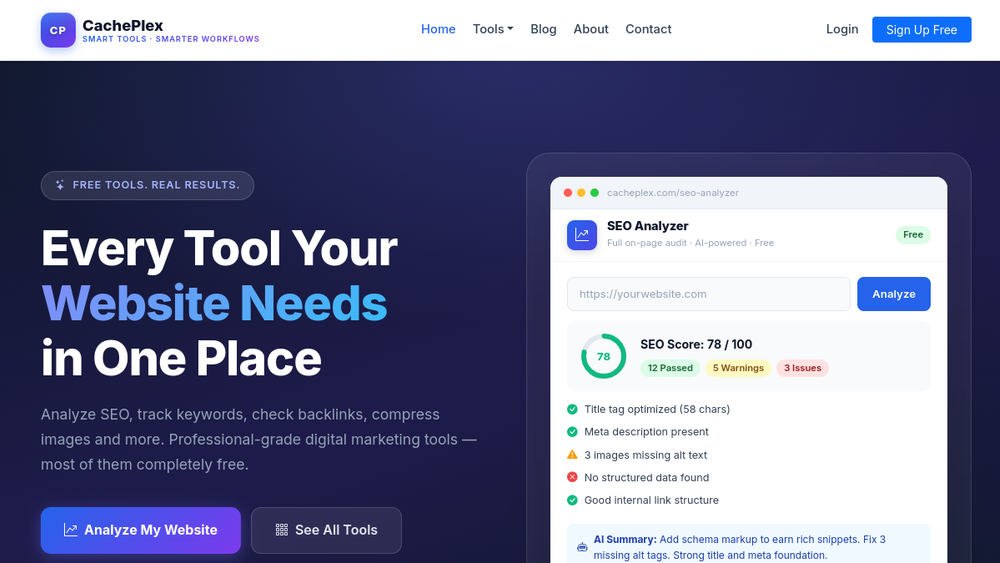
CachePlex is a browser-based collection of digital marketing and web utilities aimed at website owners, SEO professionals, and agencies. The platform bundles 22 tools covering SEO auditing, meta tag generation, AI text processing, image conversion, and developer utilities. Most tools are free to start without an account, and the SEO Analyzer is positioned as the flagship offering, scanning 50+ on-page factors and returning an AI-generated summary powered by Google Gemini.
Best for
- Website owners who want quick, no-signup SEO audits and on-page diagnostics.
- SEO professionals and agencies managing multiple sites and needing fast meta tag or readability checks.
- Content creators and marketers producing social posts, favicons, QR codes, or compressed images.
- Developers who need lightweight JSON, HTML, CSS, or schema validation utilities.
Key capabilities
- SEO Analyzer — scans any public URL for 50+ on-page factors, returns a scored report with passed/warning/issue breakdowns, and adds an AI summary with prioritized fixes.
- Meta Tag Generator — produces SEO titles and descriptions from page details, with single-page free use and bulk CSV generation.
- AI Humanizer and AI Text Detector — rewrite AI-generated text into a more natural tone and detect AI-written content with confidence scores.
- Design and image tools — favicon generator (ICO, PNG, WebP), app icon generator (iOS and Android sizes), QR generator, SVG to PNG, WebP converter, and image compressor.
- Developer utilities — JSON validator and formatter, HTML and CSS minifiers, robots.txt checker and generator, sitemap validator, SSL checker, and schema checker.
- PostPlex — a template-based social post studio with 40 templates, four platform sizes, and browser-side rendering.
Common workflows
- Paste a URL into the SEO Analyzer, review the scored report, and act on the AI-generated priority fixes.
- Generate meta titles and descriptions for a page or upload a CSV for bulk output.
- Run AI-written copy through the AI Humanizer, then verify readability with the Readability Checker.
- Upload a logo to the Favicon or App Icons Generator and download a ZIP of all required sizes.
- Validate robots.txt, sitemaps, SSL certificates, or JSON-LD schema before deployment.
What to evaluate
- Whether the free tier limits (for example, daily quotas on AI tools) match your usage volume.
- The accuracy and actionability of the AI-generated SEO recommendations for your specific site.
- Premium pricing for tools such as the AI Humanizer and Meta Tag Generator, which use one-time packs or optional monthly plans.
- Privacy handling: the site states it only scans publicly visible page content and does not store credentials or access CMS systems.
- Output compatibility for generated assets, such as Xcode and Android Studio support for app icons.
Getting started
Open any tool directly from the CachePlex homepage or the tools directory. No account is required for most utilities; creating a free account enables scan history and access to premium tool tiers. The SEO Analyzer is the recommended entry point for new users.
Why ToolSift lists it
CachePlex consolidates a broad set of practical SEO, content, design, and developer utilities into a single no-signup hub, making it a convenient starting point for routine website maintenance and optimization tasks.
Official URL: https://www.cacheplex.com/


