

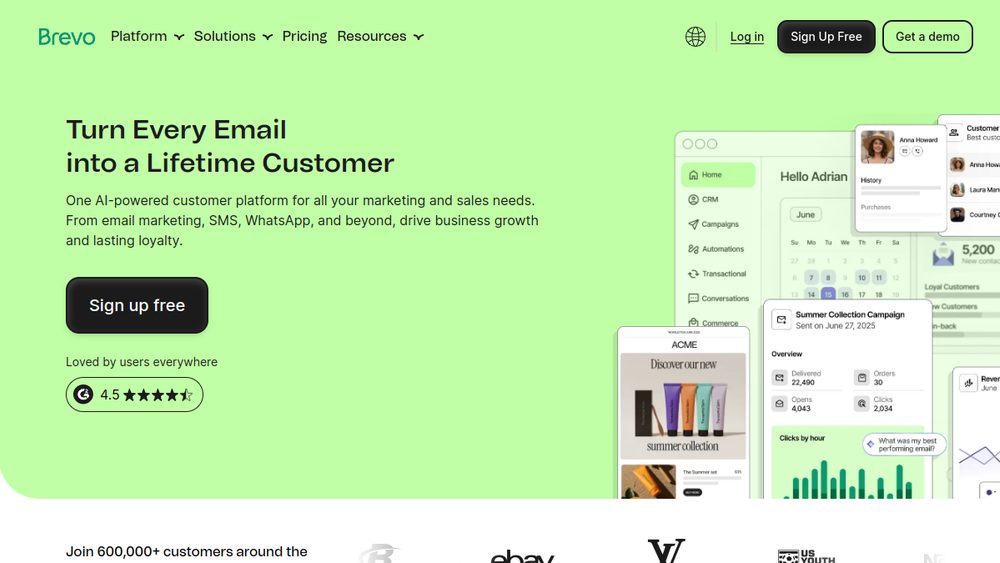
Overview
Brevo is a cloud-based customer engagement platform that combines multiple marketing and sales tools into a single interface. It enables businesses to create and send email and SMS campaigns, automate marketing workflows, manage customer relationships, and engage with website visitors through live chat and chatbots. The platform also offers transactional email services for operational messages like order confirmations and password resets.
Brevo positions itself as an intuitive solution for businesses seeking to manage their customer interactions across various channels without the complexity of integrating separate systems. It is designed to support the entire customer journey, from initial engagement to loyalty building, making it suitable for small businesses, growing companies, and larger enterprises.
Best for
- Small to medium-sized businesses looking for an all-in-one marketing platform to manage email, SMS, and automation.
- Marketing teams that need to create and send campaigns quickly with drag-and-drop editors and ready-made templates.
- E-commerce businesses aiming to send transactional emails and personalized product recommendations.
- Sales teams that want to integrate CRM capabilities with marketing automation to manage leads and deals.
- Organizations seeking to engage customers across multiple channels, including WhatsApp and push notifications.
Key capabilities
- Email marketing: Create and send email campaigns using a drag-and-drop editor and a library of templates.
- SMS marketing: Send SMS messages to customers for promotions, alerts, and updates.
- Marketing automation: Build no-code automation workflows to send targeted messages based on customer behavior.
- CRM: Manage contacts, track interactions, and view a unified customer timeline.
- Live chat and chatbots: Engage website visitors in real time and automate responses with AI-powered chatbots.
- Transactional email: Send operational emails like order confirmations and password resets via a reliable infrastructure.
Common workflows
-
Campaign creation: A marketer selects an email template, customizes it with the drag-and-drop editor, segments the audience, and schedules the send. The platform tracks opens, clicks, and conversions.
-
Automation setup: A user creates an automation workflow triggered by a specific action, such as a new subscriber or a cart abandonment. The workflow sends a series of emails or SMS messages over time to nurture the lead.
-
Lead management: A sales representative uses the CRM to log calls and emails, track deal stages, and set follow-up reminders. The platform enriches contact data and provides insights for better engagement.
-
Customer support: A support agent uses live chat to answer customer questions in real time. For after-hours, a chatbot handles common queries and escalates complex issues to human agents.
-
Transactional messaging: An e-commerce business sends order confirmations and shipping notifications automatically via transactional email, ensuring customers receive timely updates.
What to evaluate
- Channel coverage: Assess which channels (email, SMS, WhatsApp, push) are essential for your communication strategy and whether Brevo's offerings align.
- Automation complexity: Consider the depth of automation features, such as visual builders, triggers, and conditions, to ensure they meet your campaign requirements.
- CRM integration: Evaluate how well the built-in CRM fits your sales processes and whether it can replace or integrate with your existing CRM system.
- Deliverability and analytics: Review the platform's email deliverability rates and the analytics provided (opens, clicks, conversions) to measure campaign effectiveness.
- Scalability and pricing: Understand how pricing scales with contact count and sending volume, and whether the features you need are available at your expected usage level.
Getting started
- Visit the Brevo website and sign up for an account using your email address.
- Import your contacts or connect your existing tools to start building your audience.
- Explore the dashboard to create your first campaign or set up an automation workflow using the available templates and guides.
Why ToolSift lists it
Brevo is listed under Marketing and Business categories because it serves as a comprehensive marketing platform that also includes CRM and communication tools. The tags reflect its core functions: Marketing, Business Tools, Email Marketing, and Newsletter. ToolSift verified the official URL at https://www.brevo.com, which provides detailed information about the platform's features and capabilities. For more details, visit Brevo's official website.

